
 Once again, the nest has been aflutter at Twitter, with this week’s launch of available sync between tweets and LinkedIn profiles. While the control panel is a bit tricky to find, it’s there…or, actually, here.
First step: Link your accounts. Very easy. Follow the directions, and add as many accounts as you like (if, like me, you’re flying multiple handles on Twitter).
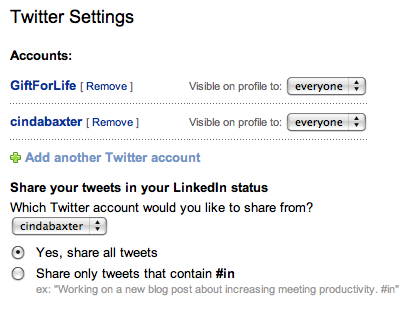
Next step: Select whether or not you want all of your tweets to appear in your LinkedIn status box, or only select tweets. For the former, click “Yes;” to pick and choose which messages appear in your profile, click “Share only tweets that contain #in.”
For those of you scratching your head over that last part, anything that begins with a # is called a “hashtag” on Twitter. Some tags, like #in and #fb tell Twitter to simultaneously post a tweet on your LinkedIn or Facebook profile, if you have things set up that way. Followers of The 3/50 Project are familiar with our hashtag, #350proj, which allows them to search for messages specific to the Project. I use hashtags in Tweetdeck, where tagged messages self-sort into themed columns (The 3/50 Project…#nss for the National Stationery Show….etc. etc. etc.).
This chirpy conversation includes a two way street, which is even more convenient. After setting up the Twitter sync, you’ll notice a new icon to the left of the Share button in your Network Updates panel (home page of your LinkedIn account):
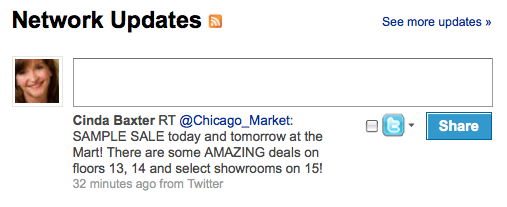
Just jot a note here (140 characters or less, to avoid clipping), then check mark the new Twitter box:
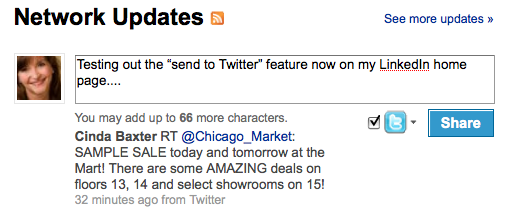 When you click “Share,” the message will post to both your LinkedIn Status update…
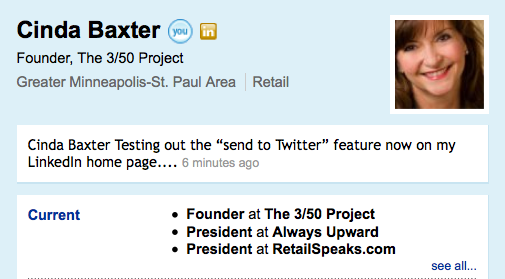
…and to your Twitter feed:
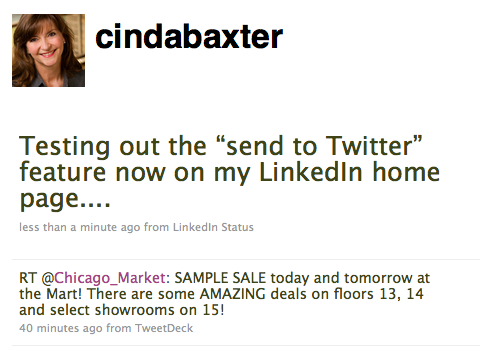
As a caveat, I’m finding that posts entered on LinkedIn appear correctly in both places, but tweets that don’t include #in are missing from my LinkedIn profile-—in spite of the fact I selected “Share all tweets” in step two. Could just be a hiccup that’s part of the new launch, but still, it’s a bit annoying for those of us who sometimes forget to include the hashtag while working directly in Twitter, on Tweetdeck, etc.
Now that Twitter has connected to Facebook and LinkedIn, odds are good that folks will use that service as the “go to” for live updating, rather than visit the actual Facebook or LinkedIn sites. Hmm. Probably not a big enough traffic dent to cause concern, but likely means I’ll spend less time on LinkedIn now, and more in Tweetdeck.
Who knew?



Click here to tell me what you think....
Click here to tell me what you think....